
Um COP do elevador, ou painel de comando do elevador, é a principal interface de controlo no interior da cabina do elevador. Permite aos passageiros selecionar os andares, abrir ou fechar as portas, pedir ajuda e consultar o estado do elevador. Para os proprietários de edifícios, empreiteiros e equipas de manutenção de elevadores, a escolha do painel de comando adequado tem impacto na operação diária, na acessibilidade, na aparência e na manutenção a longo prazo.
No mercado, COP do elevador Os tipos são normalmente descritos pela sua interface e função. Entre os termos mais comuns contam-se o COP com botões, o COP com ecrã digital, o COP com botões táteis, o COP com ecrã tátil e o COP sem contacto para elevadores. Este guia explica estes tipos principais de forma clara, para que possa compreender qual o painel de comando da cabina mais adequado ao seu projeto.
COP significa Painel de controlo do automóvel. Trata-se do painel instalado no interior da cabina do elevador. Os passageiros utilizam-no para selecionar o piso de destino, controlar a porta, ativar um alarme ou utilizar funções especiais, quando necessário.
Um painel de comando da cabina do elevador é diferente de um LOP, ou Painel de Comando do Piso. O LOP está instalado no exterior do elevador, ao lado da porta do piso. As pessoas utilizam o LOP para chamar o elevador para o seu piso. O COP é utilizado depois de os passageiros entrarem na cabina.
Um típico painel de comando do elevador O sistema liga-se ao controlador do elevador. Quando um passageiro carrega num botão ou toca na interface, o COP envia um sinal ao controlador. O controlador verifica então o estado do elevador e executa a ação correta.
Um painel COP do elevador não é apenas uma fila de botões. É um módulo de comando integrado. A configuração exata depende do tipo de elevador, da utilização do edifício e dos requisitos do cliente.
| Parte | Função principal |
|---|---|
| Botões no chão | Selecionar os pisos de destino |
| Botões para abrir/fechar a porta | Controlar o tempo de abertura da porta |
| Botão de alarme de emergência | Pede ajuda em caso de emergência |
| Intercomunicador ou aparelho telefónico | Permite a comunicação bidirecional |
| Indicador de piso | Mostrar o piso atual e a direção |
| Ecrã | Mostrar o estado, as mensagens ou as informações sobre o serviço |
| Braille / marcações táteis | Apoiar os utilizadores com deficiência visual |
| Interruptores de chave | Utilizado por pessoal autorizado de manutenção ou dos bombeiros |
| Leitor de controlo de acesso | Restringir o acesso a andares específicos |
| Placa frontal | Proteger as partes internas e definir o aspeto |
O layout deve ser fácil de compreender. Um bom painel de comando do elevador deve ajudar os passageiros a encontrar rapidamente o botão certo, confirmar o seu comando de forma clara e garantir um funcionamento seguro durante a utilização diária.
A melhor forma de compreender COP do elevador A classificação dos tipos não se baseia apenas no material. O aço inoxidável, o vidro e o alumínio são importantes, mas descrevem principalmente o acabamento da superfície. Para a seleção concreta de projetos, é mais útil classificar os COPs de acordo com a interface e a função.
A seguir apresentam-se os tipos de mercado mais comuns, ordenados do mais básico e fiável ao mais digital e inteligente.
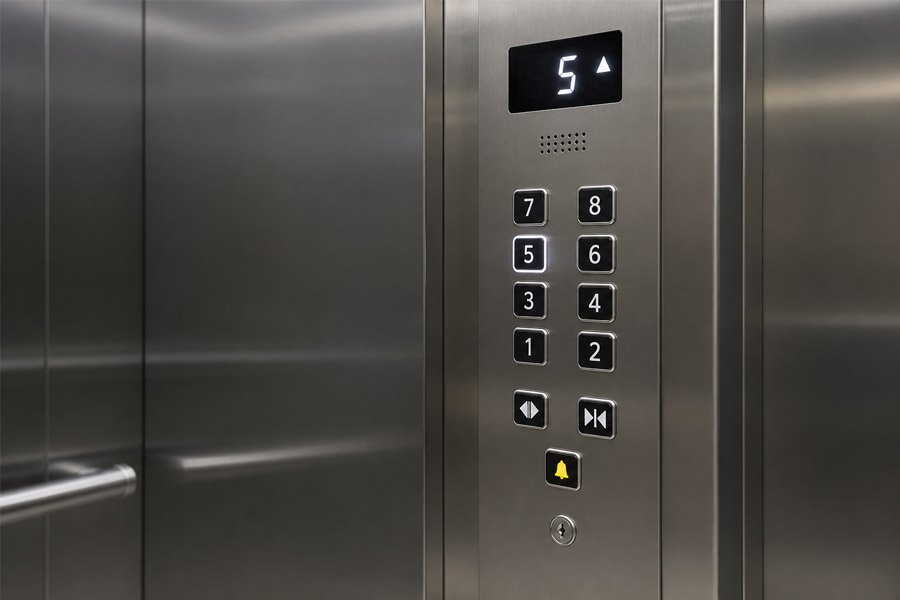
A elevador com botões COP É o tipo mais comum de painel de comando de um autocarro. Utiliza botões físicos para a seleção do piso, o controlo das portas, as funções de alarme e outras operações básicas.
Este tipo também pode ser descrito como um botão mecânico COP, um COP de elevador com botões, ou um painel de comando do automóvel com botões. Estes nomes são ligeiramente diferentes, mas geralmente referem-se ao mesmo tipo geral de produto.
Os painéis de controlo com botões são populares porque são simples e fiáveis. Os passageiros compreendem-nos imediatamente. Os técnicos de manutenção também conseguem substituir botões individuais com mais facilidade do que no caso de interfaces digitais complexas.
Em muitos projetos, um botão COP do elevador continua a ser a opção mais prática. Pode não parecer tão futurista como um ecrã tátil, mas oferece frequentemente maior durabilidade, manutenção mais fácil e um custo de substituição mais baixo.
Ao escolher este tipo, concentre-se nas partes que afetam a utilização diária:
Um botão de baixa qualidade pode parecer solto, deixar de acender ou avariar após uma utilização repetida. Num edifício com muito movimento, a superfície do botão deve ser resistente a riscos, impressões digitais e pressões frequentes.
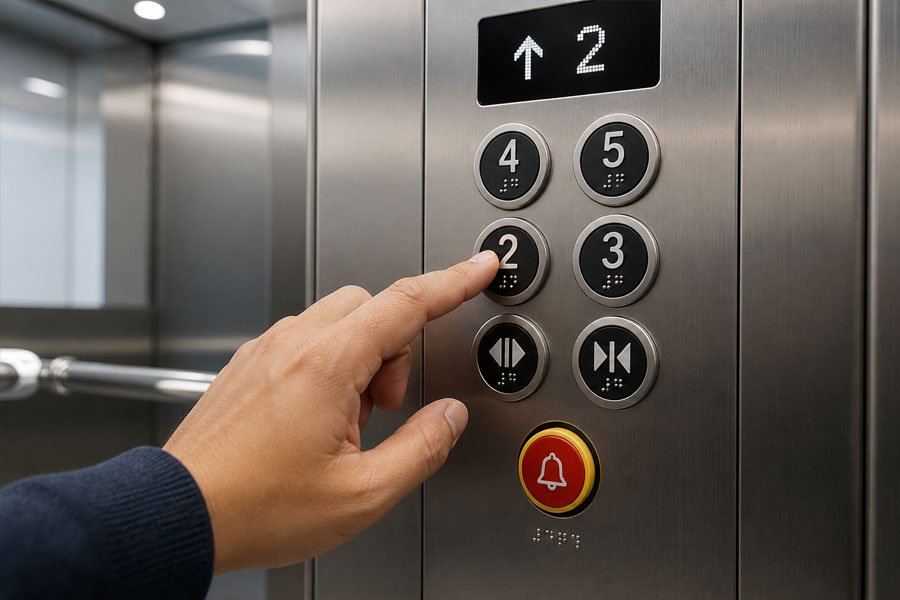
Um elevador acessível COP foi concebido para facilitar a utilização por parte de passageiros com deficiência visual, passageiros idosos, utilizadores de cadeiras de rodas e outras pessoas que necessitem de um apoio mais claro na sua utilização.
No mercado, este tipo também pode ser designado por Elevador com letramento em braille COP, um COP com botões táteis, ou um painel de comando do automóvel acessível. Pode continuar a utilizar botões normais, mas o design deve dar mais atenção à acessibilidade.
A acessibilidade não se resume apenas à adição de pontos em Braille. A verdadeira painel de comando da cabina do elevador deve ser fácil de encontrar, ler, tocar e utilizar. Os compradores devem verificar as normas locais de acessibilidade antes de confirmarem o design do painel.
O Braille e os caracteres em relevo devem ser nítidos e resistentes. Os botões não devem ser demasiado pequenos nem estar colocados demasiado altos. O ecrã deve ter luminosidade suficiente e o botão de emergência deve ser fácil de identificar.
Este modelo não é simplesmente uma versão mais avançada de um COP normal. O seu verdadeiro valor reside no design centrado no ser humano. Ajuda mais passageiros a utilizar o elevador com segurança e de forma autónoma.
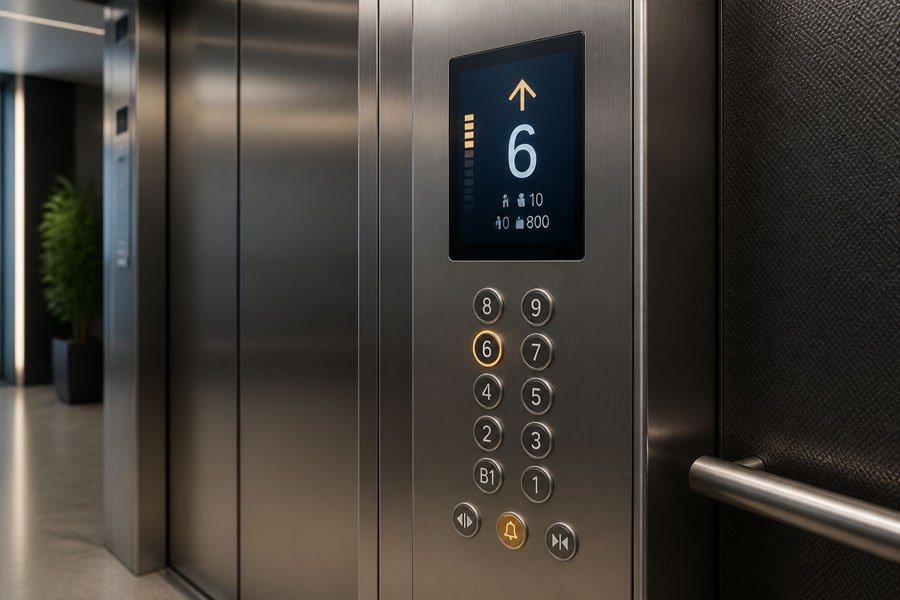
Um COP do elevador com ecrã digital acrescenta um módulo de visualização ao painel de comando. Pode continuar a utilizar botões físicos, mas fornece aos passageiros mais informações do que um painel básico composto apenas por botões.
As descrições habituais do mercado incluem COP com indicador de nível, COP para elevadores com ecrã LCD, ou painel de comando do automóvel com ecrã.
Dependendo do sistema de elevador, o ecrã pode apresentar:
Este tipo transforma o COP de um simples dispositivo de entrada numa interface de entrada e feedback. Os passageiros não se limitam a premir um botão; recebem também informações claras sobre o que o elevador está a fazer.
Por exemplo, um indicador do piso pode reduzir a confusão em edifícios de grandes dimensões. Um ecrã de orientação pode ajudar os passageiros a perceber se o elevador está a subir ou a descer. As mensagens de estado também podem ajudar o pessoal do edifício a identificar condições especiais de funcionamento.
O ecrã deve ser legível nas condições reais do interior da cabina. O brilho, o ângulo de visão, o idioma e o tamanho são todos fatores importantes. Os compradores devem também verificar o método de comunicação entre o módulo do ecrã e o controlador do elevador.
Nos projetos de substituição, o ecrã é frequentemente um dos aspetos mais importantes em termos de compatibilidade. Um ecrã novo pode ter um aspeto apelativo, mas tem de ser compatível com o sinal do controlador e com o sistema de cablagem.
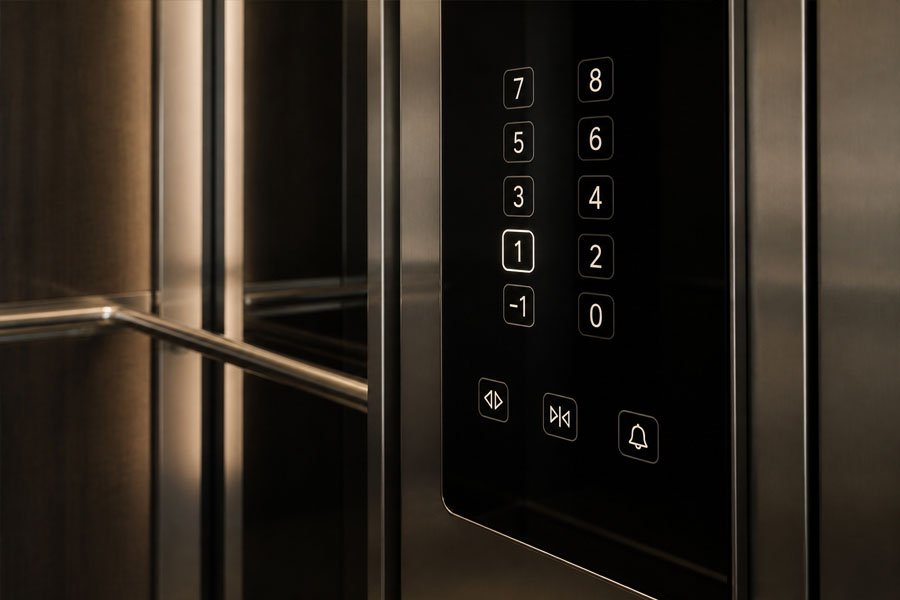
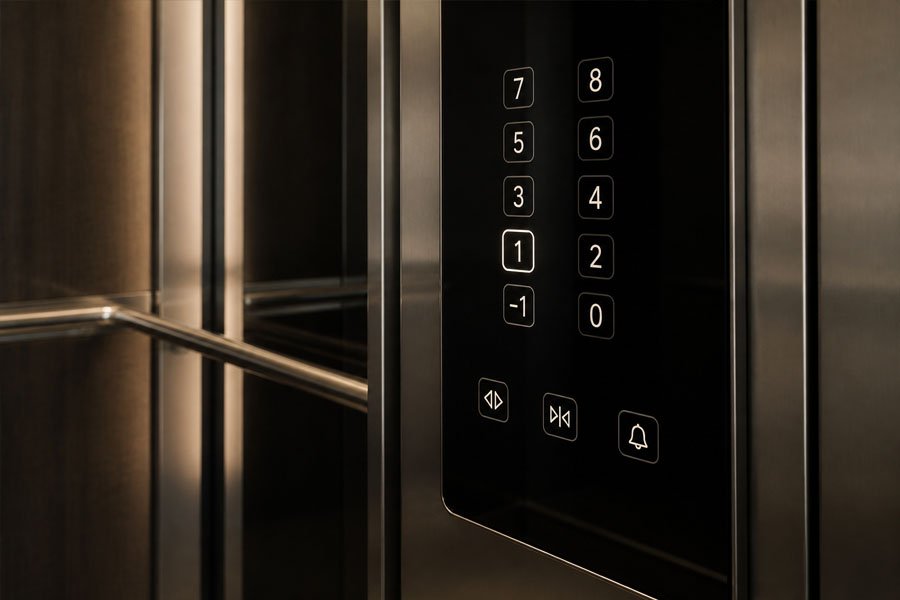
A elevador com botões de toque COP utiliza botões sensíveis ao toque em vez dos botões mecânicos tradicionais. É frequentemente combinado com vidro preto, aço inoxidável espelhado ou um painel frontal com um design simples e moderno.
Os termos de mercado podem incluir COP de ecrã tátil capacitivo, botão tátil em vidro COP, ou COP de elevador com botões táteis.
Os painéis com botões táteis apresentam um aspeto elegante e moderno. A superfície é normalmente plana, pelo que é mais fácil de limpar e manter. Os ícones retroiluminados podem criar um efeito visual requintado, especialmente em hotéis e cabines residenciais de luxo.
Este modelo é frequentemente escolhido quando o design do elevador tem de se adequar a um estilo de interior moderno. Pode fazer com que o COP pareça menos mecânico e mais integrado na decoração da cabina.
Uma interface tátil deve ser estável na utilização prática. Os compradores devem ter em atenção o seguinte:
Os botões táteis não são adequados para todos os projetos. Em ambientes de utilização pública intensiva ou de transporte de mercadorias, um botão físico resistente pode continuar a ser a melhor opção. Por razões de segurança, muitos projetos continuam a incluir um botão físico de emergência independente, mesmo quando outras funções utilizam botões táteis.
A COP do elevador com ecrã tátil utiliza um ecrã como interface principal do utilizador. É mais flexível do que um painel de botões táteis, uma vez que a interface pode ser concebida, atualizada e personalizada através de software.
Também pode ser descrito como um COP para elevadores com ecrã tátil, COP com ecrã tátil LCD, ou painel de controlo do automóvel com ecrã tátil.
Um COP com ecrã tátil permite apresentar mais informações e proporcionar uma interação mais flexível, como por exemplo:
A maior vantagem é a flexibilidade. Um COP tradicional está limitado a botões e etiquetas fixos. Uma interface tátil pode apresentar diferentes disposições, idiomas ou informações de serviço, consoante as necessidades do edifício.
Num projeto de gama alta, isto pode melhorar a experiência dos passageiros e dar ao elevador uma sensação de maior inteligência. Pode também reduzir a necessidade de muitos botões físicos quando existem muitos andares ou zonas especiais.
Uma COP com ecrã tátil é mais complexa do que uma normal painel de botões do elevador. Antes de o escolherem, os compradores devem verificar:
O ecrã tátil não significa, por si só, que seja melhor. É adequado quando o projeto requer interação digital, um ecrã flexível ou integração com edifícios inteligentes. No caso de projetos residenciais ou de transporte de mercadorias simples, pode acarretar custos e trabalhos de manutenção desnecessários.
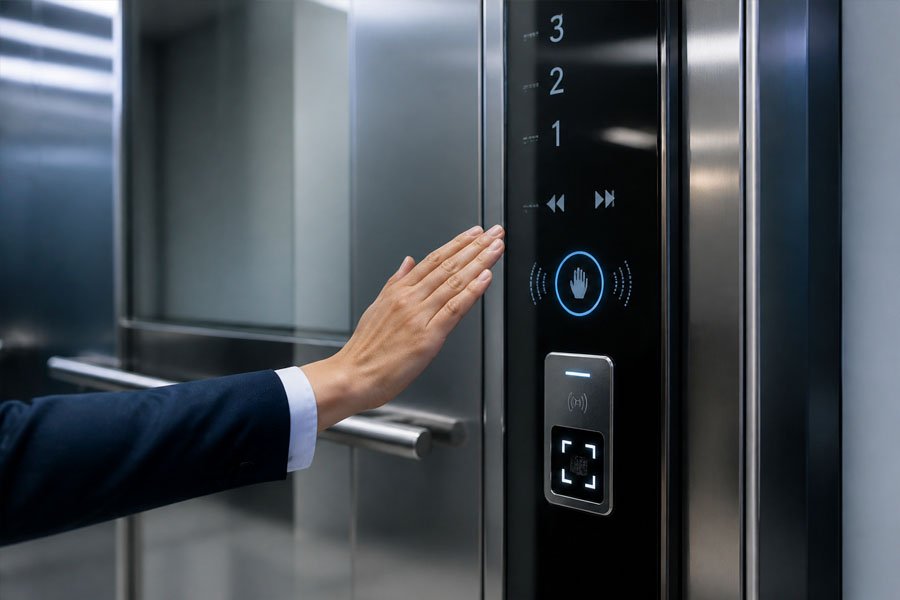
A COP de elevador inteligente ou sem contacto integra controlo baseado em sensores, controlo de acesso e, por vezes, sistemas de inteligência predial. Não é apenas um painel sem botões. É uma interface operacional mais conectada.
Entre os termos comuns do mercado contam-se COP do elevador sem contacto, botão do sensor COP, painel de comando inteligente do elevadore COP para elevadores com controlo de acesso.
Este tipo de sistema pode reduzir o contacto direto com as mãos, melhorar a gestão de acessos e contribuir para um funcionamento mais inteligente dos edifícios. No caso de hospitais ou torres de escritórios com elevado tráfego, o funcionamento sem contacto ou com controlo de acessos pode melhorar a higiene e a gestão do fluxo de pessoas.
Para projetos premium, uma solução inteligente COP do elevador pode também melhorar a imagem do edifício. Isso demonstra que o sistema de elevadores não é apenas um meio de transporte, mas sim parte integrante da infraestrutura inteligente do edifício.
As funcionalidades inteligentes têm de corresponder ao projeto real. Os compradores não devem escolhê-las apenas pela aparência. Entre os pontos importantes incluem-se:
Um sistema de controlo de acesso (COP) inteligente ou sem contacto para elevadores só é útil quando se adapta ao fluxo de tráfego real do edifício, às necessidades de controlo de acesso e à capacidade de manutenção.
A tabela abaixo apresenta uma comparação simples entre os mais comuns COP do elevador tipos.
| Tipo de COP | Característica principal | Ideal para | Limitação principal |
|---|---|---|---|
| COP de elevador com botões | Botões físicos | A maioria dos projetos padrão | Aspecto menos sofisticado |
| Elevador acessível COP | Braille, feedback tátil e audiovisual | Edifícios públicos e de saúde | É obrigatório respeitar as normas locais de acessibilidade |
| COP do elevador com ecrã digital | Indicação do piso e do estado | Projetos de escritórios, hotéis e habitação | A compatibilidade do ecrã é importante |
| Elevador com botões táteis COP | Interface tátil plana | Hotéis e edifícios modernos | A sensibilidade e a manutenção requerem atenção |
| COP para elevadores com ecrã tátil | Ecrã da interface de utilizador digital | Edifícios inteligentes e projetos de luxo | Custo mais elevado e maior complexidade do sistema |
| COP de elevadores inteligentes ou sem contacto | Sensores, acesso e integração móvel | Projetos de gama alta e com requisitos rigorosos em matéria de higiene | Exige uma integração mais forte do sistema |
Esta comparação não significa que um tipo seja sempre melhor do que outro. O melhor painel COP do elevador é aquele que se adapta ao tipo de edifício, aos hábitos dos passageiros, ao sistema de controlo e ao plano de manutenção.
Escolher um COP não se resume a selecionar um painel com bom aspeto. Trata-se de uma decisão técnica e prática. Antes de encomendar um COP padrão ou personalizado, verifique os seguintes pontos.
Cada edifício tem as suas próprias prioridades.
Isto é especialmente importante em projetos de substituição. Um novo COP deve ser compatível com o sistema de controlo do elevador existente.
Confirme estes detalhes antes do início da produção:
Se o COP não corresponder ao do controlador, o painel pode parecer estar correto, mas deixar de funcionar corretamente após a instalação.
Utilize as necessidades reais do edifício para escolher a interface:
A disposição do painel afeta tanto o funcionamento como a instalação. Antes de efetuar a encomenda, confirme:
No caso de projetos personalizados, os desenhos devem ser confirmados antes da produção. Isto ajuda a evitar problemas de instalação no local.
Não basta ter um COP bonito. Tem de ser funcional.
Faça as seguintes perguntas:
Em muitos projetos B2B, a facilidade de manutenção é tão importante quanto a aparência.
Muitos compradores confundem o COP com o LOP. Ambos são painéis de comando de elevadores, mas são instalados em locais diferentes e desempenham funções distintas.
| Artigo | COP do elevador | LOP do elevador |
|---|---|---|
| Nome completo | Painel de controlo do automóvel | Painel de comando de aterragem |
| Localização | No interior da cabina do elevador | Porta de desembarque exterior |
| Função principal | Selecionar as funções do piso e da cabina de comando | Chamar o elevador para o piso atual |
| Botões comuns | Interruptores de piso, porta, alarme e chave | Botões de chamada para cima/para baixo |
| Complexidade | Mais funções | Funções mais simples |
| Personalização | Mais alto | Mais baixo |
Em termos simples, o LOP chama o elevador do exterior. O COP controla o elevador a partir do interior da cabina.
Um COP é utilizado várias vezes ao dia, pelo que podem surgir problemas após uma utilização prolongada. Alguns problemas são causados pelos botões, enquanto outros estão relacionados com a cablagem, a placa de circuito impresso, os módulos de visualização ou a comunicação com o controlador.
| Problema | Possível causa | O que verificar |
|---|---|---|
| O botão não responde | Avaria no interruptor ou problema na cablagem | Contacto do botão, placa de circuito impresso, cablagem |
| A luz indicadora está apagada | Problema com o LED ou com a alimentação | Módulo LED, tensão, conector |
| Sinal de andar errado | Incompatibilidade na cablagem | Ligação do COP e entrada do controlador |
| O ecrã não funciona | Falha no ecrã ou na comunicação | Ligação entre o módulo de visualização e o controlador |
| Botão tátil não responde | Problema com o sensor ou com o vidro | Regulação da sensibilidade, estado da superfície |
| Avaria do botão de emergência | Problema no circuito do alarme | Linha de alarme, intercomunicador, alimentação de emergência |
| Painel riscado ou corroído | Material de má qualidade ou ambiente adverso | Material e acabamento da placa frontal |
A reparação e substituição do COP devem ser realizadas por profissionais qualificados na área dos elevadores. O painel está ligado ao sistema de controlo do elevador, e uma ligação elétrica incorreta pode afetar o funcionamento normal ou as funções de segurança.
COP do elevador significa Painel de comando da cabina do elevador. É o painel de controlo principal no interior da cabina do elevador.
A principal função de um painel de controlo do elevador (COP) é permitir que os passageiros selecionem os andares, abram ou fechem as portas, peçam ajuda e visualizem o estado do elevador. Trata-se da interface direta entre os passageiros e o sistema de controlo do elevador.
Entre os tipos mais comuns contam-se o painel de controlo de elevador com botões de pressão, o painel de controlo de elevador acessível, o painel de controlo de elevador com ecrã digital, o painel de controlo de elevador com botões táteis, o painel de controlo de elevador com ecrã tátil e o painel de controlo de elevador inteligente ou sem contacto.
O COP está instalado no interior da cabina do elevador. O LOP está instalado no exterior do elevador, normalmente junto à porta do patamar. Os passageiros utilizam o LOP para chamar o elevador e utilizam o COP para selecionar o piso de destino depois de entrarem na cabina.
Nem sempre. Um painel de controlo (COP) com ecrã tátil é mais flexível e moderno, mas um COP com botões é, muitas vezes, mais resistente, mais fácil de manter e mais adequado para projetos convencionais. A melhor escolha depende do tipo de edifício, do orçamento e do plano de manutenção.
Sim. As opções de personalização mais comuns incluem o tamanho do painel, o número de botões, as etiquetas de piso, o ecrã, o material do painel frontal, a cor dos LED, o Braille, o logótipo, os interruptores e os módulos de controlo de acesso.
Para substituir um COP, verifique primeiro o controlador do elevador existente, o tipo de sinal, a tensão, o método de cablagem, o tamanho do painel, a disposição dos botões, a interface do ecrã e as dimensões de instalação. A compatibilidade é mais importante do que a mera aparência.
Escolher o melhor COP do elevador Não se trata apenas de uma questão de aparência. Afeta o funcionamento para os passageiros, a acessibilidade, a segurança, a comunicação, a manutenção e a compatibilidade do sistema. Ao compreender os diferentes tipos de painéis de comando de elevadores, desde os painéis com botões até às interfaces inteligentes sem contacto, poderá selecionar o painel de comando adequado para edifícios residenciais, hotéis, hospitais, elevadores de carga e projetos de modernização.
Se precisar de produtos padrão ou personalizados COP do elevador soluções para uma nova instalação ou um projeto de modernização, contacte a nossa equipa para obter assistência técnica e um orçamento competitivo.